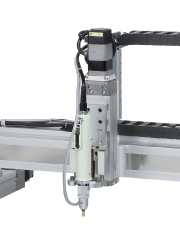
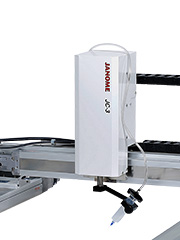
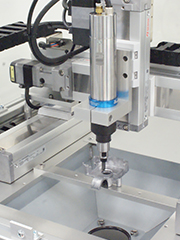

Please Ask About Special Specifications
Do you need a customized design?
We offer several variations to meet specific size and configuration requirements.
Multifunctional Cartesian robot with plenty of stroke combinations to choose from
The multifunctional JC-3 Series Cartesian Robot comes complete with an easy-to-use dedicated controller and robot unit with a rich selection of stroke lengths for each axis.
Like our desktop robots, the JC-3 has convenient installation settings. Program teaching is easy; with the interactive method teaching pendant there is no need for complicated settings.
Our specialized Screw Tightening Specification and Dispensing Specification software greatly shortens your program setting time. We also offer highly versatile Standard Specification software.
The JC-3 Series uses feedback control stepping motors on the X and Y axes to carry a load up to 8kg, with a maximum acceleration of 5000mm/s2 and a top speed of 800mm/s.
An Ethernet port (LAN) and 3 COM ports (RS2323C) are included as standard equipment. Install an optional field network port (available types: CC-Link, DeviceNet, PROFIBUS, EtherNet/IP, PROFINET and CANopen).
Not only can you specify a program number and run it from the PLC, you can also specify position coordinates and move the robot axes, as well as rewrite the position coordinates in existing programs.
Enhanced camera functions to match the needs of assembly facilities aiming for finer precision.
In addition to our helpful position correction function, we've added functions such as an automatic calibration function and a CCD camera adjustment function.
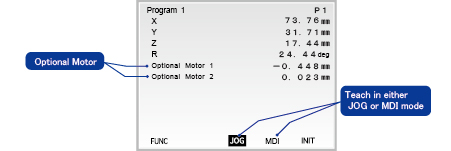
Teach and control up to 2 stepping motor or servomotor-driven "pulse string input type" external devices from the teaching pendant together with the robot axes. This function has many uses, such as adding a turntable to change the workpiece direction, or setting up and controlling a conveyor from the robot, etc.
Using our dedicated application software, teaching is easy for both "Screw Tightening Specifications" and "Dispensing Specifications". Create teaching data based on DXF files or Gerber data using "JR C-Points II" PC software.
We offer an optional teaching pendant for teaching via JOG movement.
To help personnel from a wide variety of countries operate the robot, we have the following teaching pendant display languages built-in: English, Japanese, French, Spanish, Italian, German, Korean, Simplified Chinese, Traditional Chinese, Czech and Vietnamese.
Using the encoder, the robot memorizes its current position. Homing movements between program runs are unnecessary.
*1 The Absolute Encoder Model is available for 3 axes types only.
Our application-specific dedicated software makes robot teaching easy for even new users; we've filled out our command group even more to give you a wider variety of commands to use.
Good news for customers who want to use a vision system for position adjustments! Camera calibration, the once time-consuming process of matching the camera coordinates to robot coordinates is now a lot easier. Just register the camera-side calibration marks and the robot calibrates automatically.
Compatible Cameras*2
Panasonic A110・A210、PV200・PV260・PV300・PV500
Keyence CV3000・CV-X100・CV-X200・CV-X400、XG-8000・XG-X Series
OMRON FH Series・FQ Series
*2 Some camera models are discontinued. Please check with the manufacturer for details.
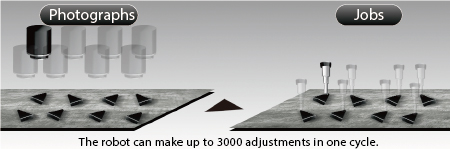
We've enhanced the functions for jobs done while using the camera to make position adjustments. The robot can acquire up to 3,000 position adjustments, so for workpieces lined up on a pallet, instead of repeating the process of capturing an image then doing the job one piece at a time, you can capture a batch of sequential images then do a batch of jobs sequentially and greatly shorten your total tact time.
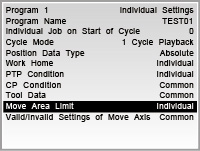
Settings such as "work home", "move area limit", "PTP movement conditions", etc., which are the same for all programs can now be set in common. Making these settings once for all programs helps to shorten program teaching time. Of course, you can switch these settings over to set them individually if you wish.
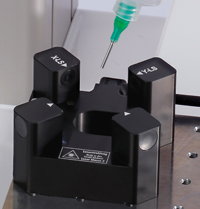
The robot records the dispenser nozzle tip position, so if a position discrepancy occurs when replacing the needle, the robot uses the "Needle Adjuster" function to determine the displacement amount and adjust the nozzle tip position allowing the dispenser to dispense in the same way it did before needle replacement. In addition to our 3-axis type, this function now also works for our 4-axis types. We strongly recommend this for customers when nozzle position adjustment after needle replacement is burdensome.
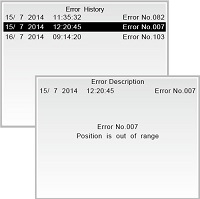
Error times and dates appear on the display.
The robot determines the time an error occurs, helping to identify the cause.
The error history saves data for the most recent 1,000 errors.
The built-in simple sequencer allows the robot to easily coordinate with external devices on its own. (Maximum capacity 100 programs with 1,000 steps per program.)
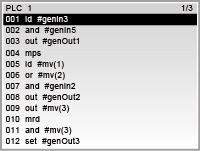
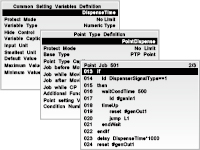
Create your own specialized software by registering the commands you often use in your point job data.
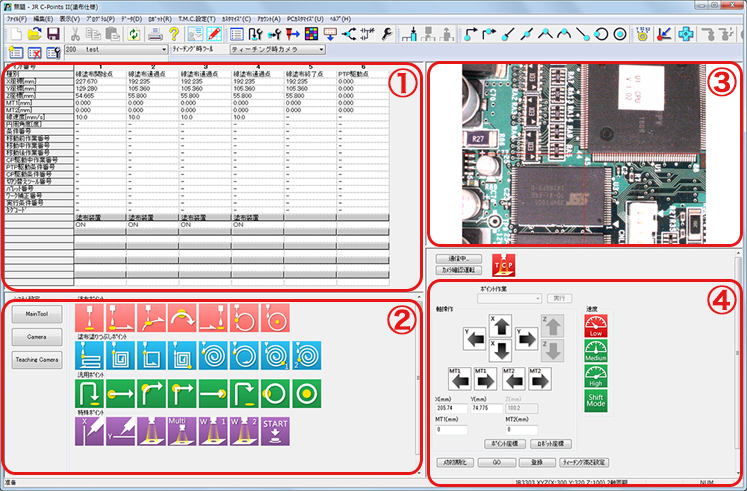
Our original interactive programming software, "JR C-Points II" lets you create, edit and save your teaching and customizing data on your PC.
Cut and paste point data in the manner of spreadsheet software, set points by numerical input, and create and edit point job commands without difficulty. Also with the "Point Graphic Editing Function", create and edit path data as a graphic drawing for even more convenient program teaching.
Convert "JR C-Points" teaching data into "JR C-Points II" data and use.
①Programming Area
Directly input values to create and edit program data.
②Basic Operations Area
Use the helpful icons to easily create programs.
③Camera Image Display Area when using a USB camera*
The robot moves to center itself over the position you click on the camera display.
④Robot Operations Area
Use the operation icons to make JOG movements.
Precise teaching is easy! Connect a USB camera* and set points using enlarged images on your PC screen, click the icons for the movements you want.
*For information about compatible USB cameras, please contact us.
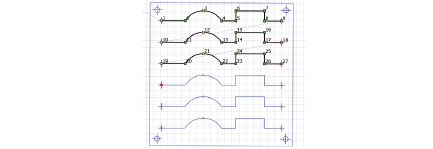
Precise point setting using DXF and Gerber data
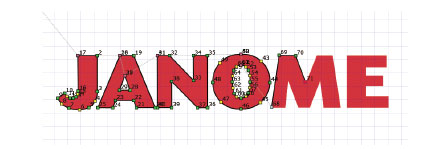
Point setting by going along the lines of a background image
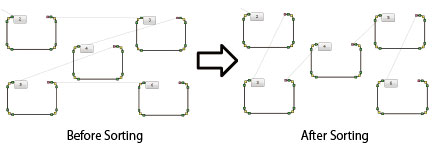
Sorting in order from the left
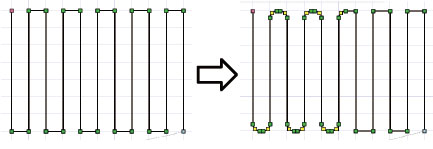
R Radius Designation
Dedicated software for screw tightening and dispensing jobs.
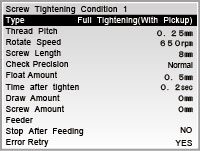
Creating screw tightening programs is easy: just set the job positions for screw tightening parameters such as screw pitch, length, and the driver rpm.
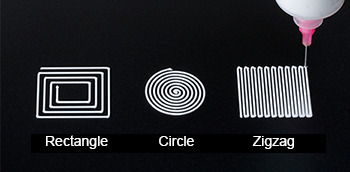
Creating dispensing programs is easy: just set the job positions for dispensing parameters such as point dispensing or line dispensing.
Do you need a customized design?
We offer several variations to meet specific size and configuration requirements.

Test your process on our machines. Please contact us for more information.