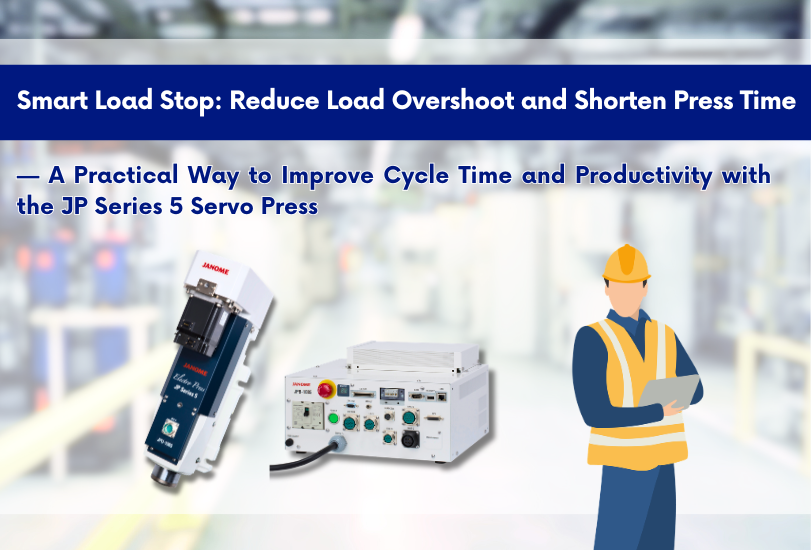
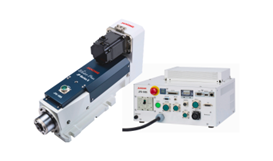
In servo press applications, you often want to stop exactly at a target load. In reality, however, the press may exceed the target due to timing delays between load detection and the stop command.
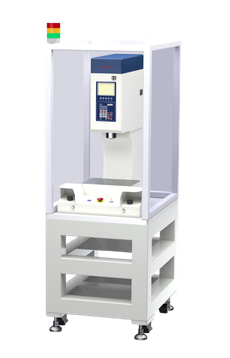
This article focuses on Smart Load Stop, a standard feature on Janome’s JP Series 5. We explain how it helps reduce load overshoot while also shortening press time—a combination that can directly improve takt time and productivity.
Load Stop and the Challenge of “Overshoot”
“Load stop” is a motion where the press stops when it detects a specified end load (target load).
Because the system must detect the load first and then issue a stop command, the final stopping load can become higher than the target. In this article, we call that excess amount load overshoot.
The graph below shows a press time vs. load waveform when pressing a die-set spring load with: end load = 8000 N and press speed = 25 mm/s.
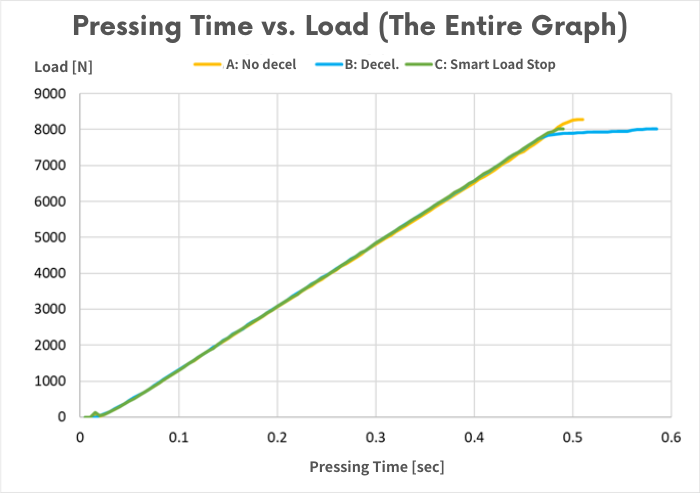 Press time vs. load comparison (No decel / Decel / Smart Load Stop), end load = 8000 N
Three Conditions Compared: No Deceleration / Deceleration / Smart Load Stop
We compare three end-of-press conditions:
-
A: No deceleration
Press at 25 mm/s up to 8000 N, then issue a stop command when 8000 N is detected. -
B: Deceleration
Decelerate to 2 mm/s after detecting 95% of the end load (8000 N × 95% = 7600 N), then stop. -
C: Smart Load Stop
Do not decelerate; instead, set Smart Load Stop to “Enabled.”
Up to around 0.45 seconds, the motion is essentially the same for all conditions.
The difference appears near the end of pressing. The following graph zooms in on the end-of-press region.
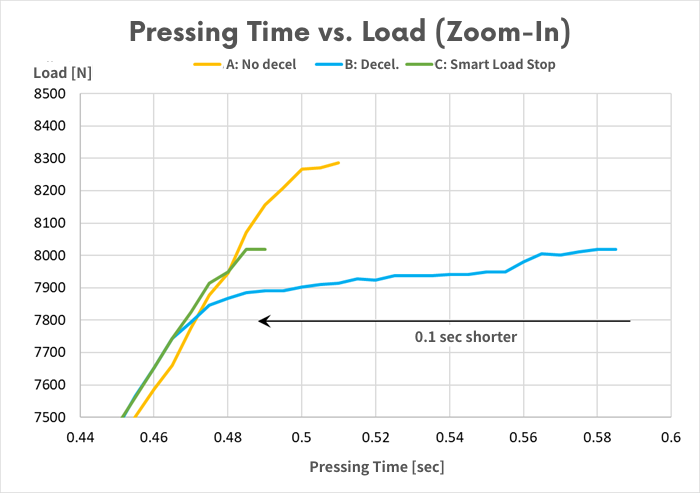 Zoomed-in view near end of press: overshoot comparison (No decel / Decel / Smart Load Stop)
Result: Reduce Overshoot While Shortening Press Time
In A: No deceleration, the press overshoots by about 300 N after detecting 8000 N before it fully stops.
In B: Deceleration, the load increase becomes gentler after about 7800 N because the speed is reduced. As a result, overshoot is limited to around 20 N.
However, deceleration adds time near the end of the stroke—meaning press time becomes longer.
This is where Smart Load Stop helps: it can reduce overshoot without sacrificing takt time.
In C: Smart Load Stop, overshoot is kept to about 20 N, while press time is 0.1 seconds shorter than B: Deceleration.
How to Use Smart Load Stop
Setup is simple: set the deceleration load ratio to 100% and enable Smart Load Stop.
With the deceleration load ratio at 100%, the press does not decelerate at the end. When Smart Load Stop is enabled, the controller issues a stop command slightly before the target so the press stops at the configured end load.
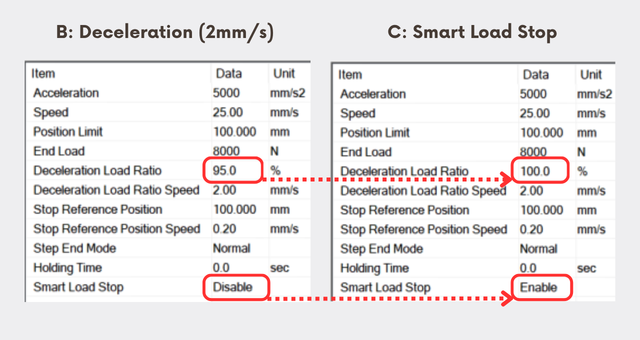 JP Series 5 PC Software: JP TaS II System Designer
Example Calculation: Press-Time Reduction Improves Cycle Time
In the example above, press time is:
B: Deceleration = 0.59 s
C: Smart Load Stop = 0.49 s
Time saved = 0.59 − 0.49 = 0.10 s
Reduction rate = (0.59 − 0.49) / 0.49 = 20%
If you add a 50 mm approach and a 62 mm return, total operation time becomes:
B: Deceleration = 1.11 s
C: Smart Load Stop = 1.01 s
Reduction rate = (1.11 − 1.01) / 1.01 = 10%
If dwell/wait time is 1.00 s, cycle time becomes:
B: Deceleration = 2.11 s
C: Smart Load Stop = 2.01 s
(2.11 − 2.01) / 2.01 = about a 5% productivity improvement
- Even “0.1 seconds at the end of pressing” can meaningfully impact the overall cycle
- In mass production, small savings accumulate and directly increase daily/monthly output
Summary: When Smart Load Stop Is a Good Fit
- You want to reduce overshoot (quality, die protection, load management)
- But you don’t want to slow down takt time with end-of-press deceleration
- You want stable results with a repeatable function, not trial-and-error tuning alone
Smart Load Stop on the JP Series 5 addresses these shop-floor challenges by optimizing stopping behavior—helping you balance load accuracy and throughput.
If you are dealing with issues such as “deceleration is increasing cycle time” or “overshoot at load stop is too large,” share your waveform/conditions with us and we can review improvement potential using the JP Series 5.
Note: Smart Load Stop is a standard feature on the Electro Press (JP Series 5) and JP5S Series. It is not available on the JP-S2 Series.